
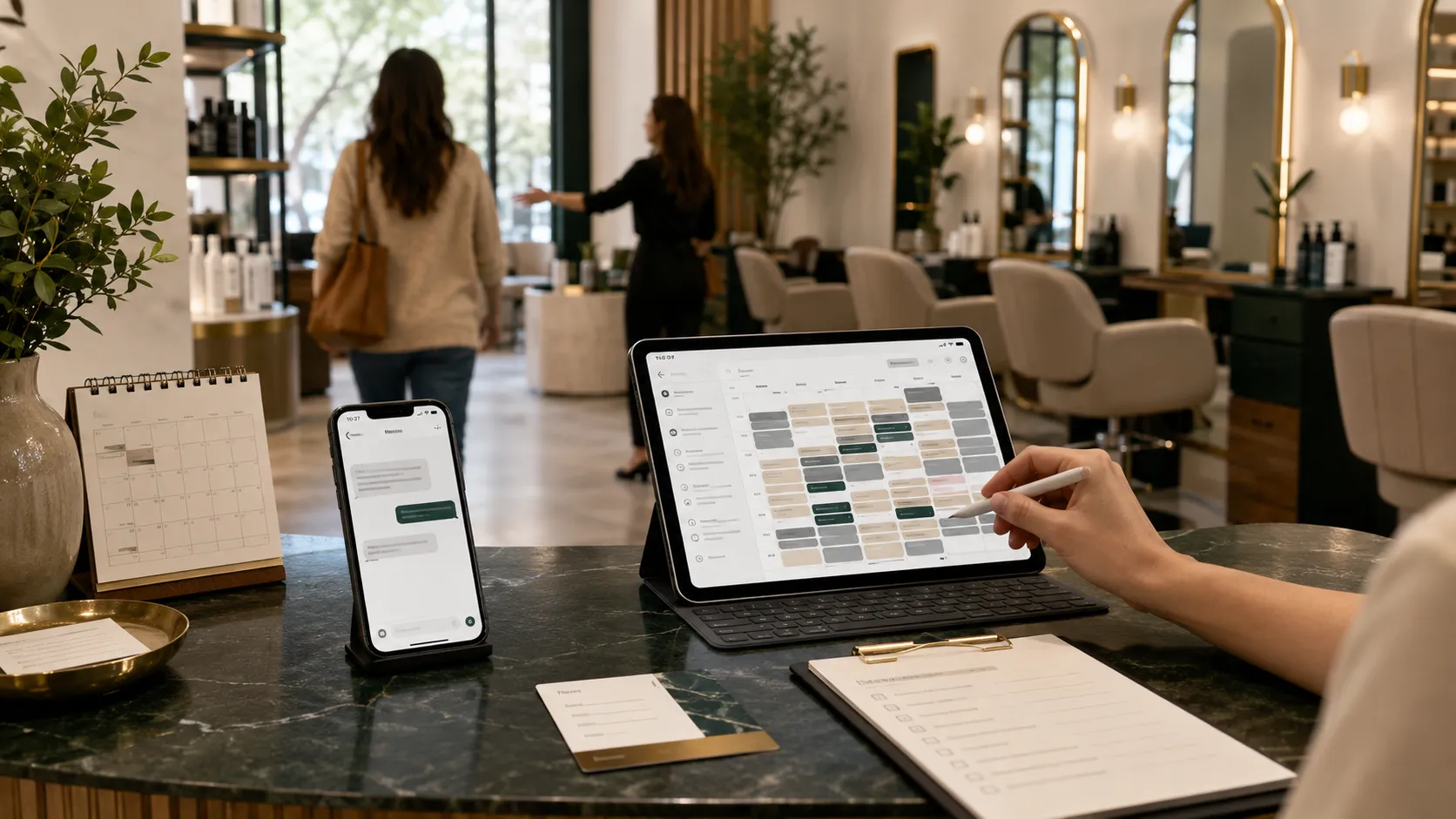

No-shows and last-minute cancellations can quietly reduce a salon’s revenue. When a client misses an appointment, the salon may lose more than the value of one service. The stylist’s time has already been reserved, products may have been prepared, another client may have been turned away, and the empty slot may be too difficult to fill at short notice.
Some missed appointments are unavoidable, but many happen because clients forget, misunderstand the time, lose the confirmation message, or do not know how to reschedule easily.
Email and SMS marketing can help prevent these situations by keeping clients informed before their appointments and giving them a simple way to confirm, cancel, or reschedule.
A well-designed communication system can also improve the overall client experience. Clients receive useful information at the right time, while the salon gains more control over its appointment calendar.
Here is how salons can use email and SMS effectively to reduce no-shows and protect more booked time.
Understand Why Salon Clients Miss Appointments
Before introducing more messages, identify why no-shows are happening.
Common reasons may include:
- The client forgot the appointment
- The appointment was booked several weeks earlier
- The client recorded the wrong date or time
- The confirmation email went to a spam folder
- The client did not recognize the salon’s telephone number
- The rescheduling process was too difficult
- The client was uncertain about the price
- The deposit or cancellation policy was unclear
- Preparation instructions were not provided
- The client booked impulsively and lost interest
- The salon did not follow up after an unanswered confirmation
- The client experienced a genuine emergency
Review your booking records and speak with your reception team. Look for patterns involving specific services, booking channels, appointment times, new clients, or longer booking periods.
For example, no-shows may be higher among first-time clients who booked through an advertisement but never had a direct conversation with the salon. In that situation, an automated reminder alone may not be enough. The salon may also need a stronger confirmation or deposit process.
Collect Accurate Contact Information
An automated reminder cannot help if the email address or mobile number is incorrect.
During booking, collect and confirm:
- Client’s full name
- Mobile telephone number
- Email address
- Preferred communication method
- Appointment date and time
- Selected service
- Relevant stylist or location
- Permission required for optional marketing messages
Repeat the mobile number or email address back to the client when appointments are booked by telephone.
For online bookings, ask clients to review their details before submitting the form. Your booking system should also make it easy for existing clients to update outdated contact information.
Avoid collecting unnecessary information. Ask only for what is genuinely needed to manage the appointment and provide the service.
Send an Immediate Booking Confirmation
The first message should be sent as soon as the appointment is booked.
An immediate confirmation reassures the client that the booking was successful and creates a written record they can search for later.
A useful booking confirmation should include:
- Salon name
- Appointment date
- Appointment time
- Service booked
- Stylist, where applicable
- Salon address
- Deposit status
- Important preparation instructions
- Cancellation or rescheduling link
- Salon contact details
Example SMS:
“Your appointment at Harbor Hair Studio is confirmed for Thursday, August 14 at 2:30 p.m. for balayage with Mia. Manage your booking here: [link].”
Example email subject:
“Your salon appointment is confirmed”
The email may contain more detailed information, while the SMS provides a short and convenient reference.
Make sure the time zone is clear if your salon serves clients who may book while traveling or if appointments are managed across multiple locations.
Use More Than One Reminder
A single message sent immediately after booking may not be enough when the appointment is several weeks away.
Create a reminder sequence based on how far in advance clients usually book.
A practical sequence may include:
Immediate Confirmation
Sent as soon as the appointment is created.
Early Reminder
Sent several days before the appointment, particularly for longer, higher-value, or consultation-based services.
Final Reminder
Sent approximately one day before the appointment.
Same-Day Reminder
Used selectively for services or client groups where an additional reminder is helpful.
Do not send so many messages that clients feel overwhelmed.
The correct timing will depend on your salon, services, cancellation window, and booking behavior. A three-hour haircut appointment booked six weeks in advance may need a different sequence from a quick service booked for the following morning.
Ask Clients to Confirm Their Appointment
A reminder that requires a simple response can be more useful than a message the client reads and forgets.
For example:
“Reminder: Your appointment is tomorrow at 11:00 a.m. Reply C to confirm or use this link to reschedule: [link].”
Confirmation allows your team to identify appointments that may need attention.
Create an internal process for unconfirmed bookings:
- Automated reminder is sent.
- Client is invited to confirm.
- Unconfirmed appointments are flagged.
- A team member follows up where appropriate.
- A cancellation or opening can be offered to someone on the waitlist.
Do not assume that every unanswered message means the client will not attend. Some people do not reply to automated messages. Use confirmation status as one useful signal rather than an automatic reason to cancel the appointment.
Make Rescheduling Easy
Some salons unintentionally increase no-shows by making cancellation or rescheduling difficult.
A client who cannot attend may decide to ignore the appointment if they must call during limited hours, wait on hold, or search for the correct contact details.
Include a clear rescheduling option in your reminders.
Depending on your system, clients may be able to:
- Use a secure booking-management link
- Reply to the SMS
- Call the salon
- Use live chat
- Email the reception team
- Select a new time through the booking platform
A convenient process encourages clients to notify you earlier. This gives the salon more time to fill the opening.
Your messages should still explain any applicable notice period, deposit rule, or late-cancellation fee.
Explain the Cancellation Policy Before the Appointment
Clients should not discover the cancellation policy only after missing an appointment.
Display the policy clearly:
- On the booking page
- During checkout
- In the appointment confirmation
- In reminder messages
- On the salon website
- At reception
- In consultation or deposit forms
Keep the wording straightforward.
Example:
“Please provide at least 24 hours’ notice if you need to cancel or reschedule. Late cancellations and missed appointments may result in the loss of your deposit.”
Do not hide material terms inside a long message.
If your policy varies by service, explain the relevant rule before the client completes the booking. A lengthy color correction, bridal trial, extension appointment, or treatment package may require a different deposit from a short maintenance service.
Use Deposits for High-Commitment Appointments
Appointment reminders are more effective when combined with a clear booking commitment.
A reasonable deposit can reduce casual bookings and protect part of the salon’s time if a client does not attend.
Deposits may be particularly useful for:
- First-time clients
- Long appointments
- Bridal services
- Hair extensions
- Color corrections
- Group bookings
- Premium treatments
- Appointments requiring product preparation
- Services reserved far in advance
Explain:
- The deposit amount
- Whether it will be applied to the final bill
- The cancellation deadline
- Whether it is transferable
- What happens after a no-show
- How a client can reschedule
The purpose should be to create a fair commitment, not to surprise or punish clients.
Include Preparation Instructions
Some clients miss appointments because they feel unprepared or uncertain about what will happen.
Use email to provide service-specific instructions.
For example, a color appointment message may explain whether the client should arrive with clean or dry hair. A skin treatment reminder may identify products to avoid beforehand. A bridal consultation reminder may list photographs or accessories to bring.
Preparation messages can include:
- Expected appointment duration
- What the client should bring
- How to prepare
- Parking information
- Arrival instructions
- Consultation expectations
- Deposit balance
- Guest or child policies
- Aftercare considerations
- When to contact the salon with questions
This reduces uncertainty and makes the salon appear organized and attentive.
Personalize Messages by Service
Generic reminders are better than no reminders, but service-specific messages are often more useful.
A haircut reminder may need only the basic appointment details. A hair extension consultation may require current-hair photographs. A bridal booking may need venue information. A med-spa appointment may require forms or preparation instructions.
Segment messages by:
- Service
- Client type
- Location
- Stylist
- Appointment value
- First-time or returning status
- Confirmation status
- Booking source
Personalization does not mean every message must be written manually. A good automation platform can insert the correct client name, service, time, location, and instructions.
Always test automated fields before activating the sequence. A message containing the wrong date, stylist, or service can create more confusion than it prevents.
Follow Up With First-Time Clients
New clients may need more reassurance than regular clients.
They may be uncertain about:
- Where to park
- Which entrance to use
- What the salon atmosphere will be like
- Whether the service is suitable
- How much the final appointment may cost
- Who they will meet
- What happens during the consultation
Send a welcome email after the booking.
It may include:
- A short introduction to the salon
- A photograph of the entrance
- Parking or transport information
- Stylist introduction
- Service expectations
- Price guidance
- Consultation process
- Contact details
- Rescheduling option
This communication helps the appointment feel real and reduces the emotional distance between an online booking and an in-person visit.
Use a Waitlist to Fill Cancelled Appointments
Even a strong reminder system will not prevent every cancellation.
Create an automated or organized waitlist for clients who want earlier appointments.
When a slot becomes available, send a targeted message to suitable clients.
Example:
“An appointment for a haircut and blow-dry has become available tomorrow at 3:00 p.m. Reply YES if you would like us to reserve it for you.”
Send openings only to clients for whom the service, stylist, location, and timing are relevant.
Avoid messaging the entire database every time one appointment opens. Excessive last-minute promotions can train clients to wait for openings or ignore future messages.
Use SMS for Urgent Information
SMS is useful for short, time-sensitive communication because clients commonly keep their phones nearby.
Use SMS for:
- Booking confirmations
- Appointment reminders
- Confirmation requests
- Schedule changes
- Stylist delays
- Same-day instructions
- Waitlist openings
- Rescheduling links
Keep the message concise. The client should understand the purpose immediately.
Avoid adding unrelated promotions to every operational reminder. A message reminding a client about tomorrow’s appointment does not need to advertise three other services.
Separating service-related communication from promotional marketing also helps maintain trust and makes consent management easier.
Use Email for Detailed Information
Email is better suited for information that requires more space.
Use email for:
- Detailed booking confirmations
- Preparation instructions
- Policies
- New-client welcome sequences
- Consultation forms
- Service guides
- Aftercare
- Rebooking education
- Receipts and invoices
Use a clear subject line and make the appointment information easy to find.
Do not bury the date and time beneath a long promotional introduction. Place the essential details near the top.
Your email should work properly on mobile devices because many clients will open it on a phone.
Rebook Clients at the Right Time
Email and SMS can reduce future calendar gaps by reminding clients when it is time to return.
Create rebooking sequences based on the typical maintenance cycle of each service.
Examples include:
- Haircut maintenance
- Root-color refresh
- Balayage maintenance
- Nail refill
- Lash infill
- Brow maintenance
- Facial schedule
- Extension maintenance
- Barbering appointment
- Seasonal treatment plan
The message should be helpful rather than aggressive.
Example:
“It may be time to plan your next color refresh. Appointments with Mia are beginning to fill for next month. View availability here: [link].”
Rebooking reminders keep clients engaged and reduce the chance that they forget until their preferred time is unavailable.
Create a Win-Back Sequence
Some clients do not intentionally leave the salon. They simply fall out of their normal routine.
Create a win-back sequence for clients who have not booked within the expected service cycle.
A win-back message may:
- Remind them of the service they previously booked
- Invite them to view current availability
- Introduce a relevant new service
- Ask whether they need assistance
- Provide a direct booking link
Avoid immediately offering a large discount.
Start with a helpful reminder. A loyal client may need only a convenient prompt.
Track No-Show and Cancellation Data
Measure whether your reminder system is producing a real improvement.
Track:
- Total appointments booked
- Confirmed appointments
- Unconfirmed appointments
- No-show rate
- Late-cancellation rate
- Rescheduled appointments
- Deposits retained
- Waitlist appointments filled
- Reminder delivery failures
- Email open activity, where available
- SMS responses
- No-shows by service
- No-shows by booking source
- No-shows among new and returning clients
Compare results before and after introducing the communication sequence.
If no-shows remain high, investigate whether the issue is:
- Weak booking commitment
- Incorrect contact information
- Unclear pricing
- Poor reminder timing
- Technical delivery failure
- Difficult rescheduling
- Inconsistent enforcement
- Low-quality leads
- A broader client-experience problem
Automation should support good operations, not replace them.
Protect Client Consent and Communication Preferences
Email and SMS systems should respect client permissions and applicable marketing laws.
Keep operational appointment messages separate from optional promotional campaigns wherever practical. Clearly explain what clients are agreeing to receive, maintain records of consent where required, and make it easy for them to change their preferences.
In the United States, automated marketing texts may be subject to the Telephone Consumer Protection Act and related FCC requirements. Consent requirements can differ based on the nature of the message and the technology used, so salons should configure their systems carefully and obtain appropriate permission before sending promotional texts.
Commercial marketing emails must also follow applicable requirements. FTC guidance explains that covered emails need accurate sender and subject information, a valid postal address, and a clear opt-out method; qualifying opt-out requests must be honored within ten business days.
Practical safeguards include:
- Do not use purchased or scraped contact lists
- Do not automatically add every enquiry to promotional campaigns
- Keep a record of signup or consent
- Identify the salon clearly
- Provide an unsubscribe method
- Honor SMS opt-out requests
- Stop promotional messages when consent is withdrawn
- Protect client contact information
- Review the rules that apply in each client location
Salon owners serving multiple regions should obtain appropriate professional advice before launching large-scale automated marketing campaigns.
Avoid Common Email and SMS Mistakes
Sending Too Many Messages
Frequent reminders can frustrate clients. Use only the messages required to support attendance.
Sending at Inappropriate Times
Schedule messages during reasonable local hours.
Using Incorrect Appointment Data
Test every automation field and booking-system connection.
Making Rescheduling Difficult
Include a clear method to update the booking.
Mixing Every Reminder With a Promotion
Keep appointment information focused and useful.
Ignoring Delivery Failures
Flag invalid numbers and bounced email addresses so your team can update them.
Sending the Same Instructions for Every Service
Personalize important information by appointment type.
Hiding the Cancellation Policy
Present material booking terms before the client confirms.
Failing to Follow Up on Unconfirmed Appointments
Create a process for appointments that require manual attention.
Treating Automation as a Complete Solution
Staff communication, deposits, scheduling, and client experience remain essential.
Build a Complete Salon Reminder System
An effective no-show reduction system may look like this:
- The client books an appointment.
- The salon verifies contact details.
- A confirmation is sent immediately.
- The client receives relevant preparation information.
- A reminder is sent before the cancellation deadline.
- The client confirms or reschedules.
- Unconfirmed appointments are flagged.
- Cancelled slots are offered to the waitlist.
- A final reminder is sent before the appointment.
- After the service, the client receives aftercare and rebooking information.
Salon owners who want help setting up email and SMS automation, booking follow-ups, advertising, websites, or reputation systems can explore SalonHarbor’s salon marketing services.
Reduce No-Shows Without Damaging the Client Experience
The purpose of appointment communication is not to pressure clients. It is to make attendance, confirmation, and rescheduling easier.
A strong system combines:
- Accurate client information
- Immediate booking confirmations
- Well-timed reminders
- Simple confirmation options
- Easy rescheduling
- Clear cancellation terms
- Appropriate deposits
- Service-specific preparation instructions
- First-time-client support
- A responsive waitlist
- Rebooking and win-back messages
- Responsible consent management
- Regular performance tracking
When clients know exactly when and where their appointment is, what they need to do, and how to make a change, they are less likely to disappear without notice.
Salon owners looking for a professionally managed client follow-up system can compare SalonHarbor’s pricing plans or request a custom quote based on their booking process, services, locations, and current no-show challenges.